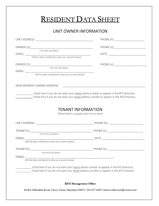
If
you're new to Kenwood Forest II or want to change the the
information in your entry on file at the management office
here's the form to fill out. Some of this information is
also published in the biennial Directory of Residents.
Download the form (in PDF format). You can either print
it, fill it out, and bring it to the management office
or you can fill it out on your
computer.
Save the document when you are all done and email it as an attachment
to
kenwoodforest2@verizon.net.